Free AI Word Summarizer by Wordvice AI
You opened the document with good intentions. Thirty pages later, you're still on the introduction, and the meeting starts in twenty minutes. It gets worse when the document is in another language or when five more are sitting in your inbox right behind it.
This is where the Wordvice AI Word Summarizer comes in. Upload any Word document and get a structured, readable summary in your language. Not just a fast skim but actual document intelligence that pulls out what matters.
How It Works: Summarize a Word Document in 3 Steps
Upload your Word document
Drop your MS Word file directly into the Wordvice AI input box.
Pick your settings
Choose your output language, select a summary format, and drag the length slider to control how much detail you need.
Hit Summarize
The AI reads through the whole document and gives you a clean, organized breakdown in seconds.
Key Features of the Wordvice AI Word Summarizer
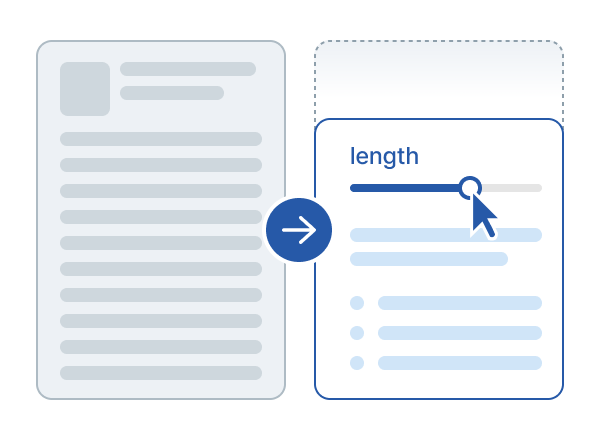
Summary Format and Length Control
Most AI Word summarizer tools make one decision for you and hand you whatever comes out. Wordvice AI actually lets you choose what works best for what you're doing.
Four formats to pick from. Bullet points when you're skimming fast or pulling key ideas together for a presentation. Markdown when your summary is going straight into a notes app, and you want the structure already built in. Paragraph when you need something readable and coherent to drop into a report or email. Title when you just need the big ideas at a glance with nothing extra underneath.
Then there's the length slider, which is honestly one of the most useful parts of this MS Word document summarizer. Short when you're in a hurry. Long when the detail actually matters. You decide how much you get, not the tool.
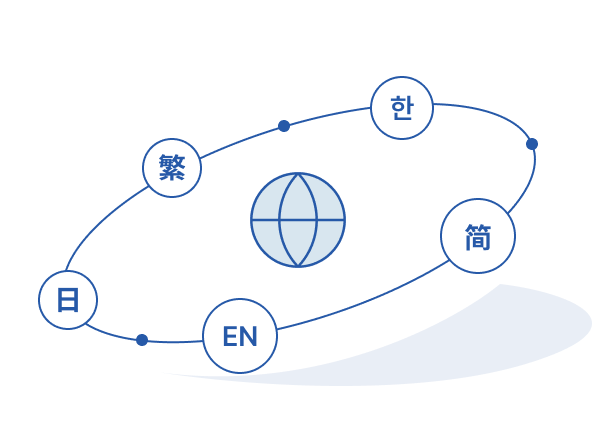
Multilingual Output
Reading a document in a language you're not fluent in takes twice as long, and you still miss things. The Wordvice AI Word Summarizer's free language feature fixes that. Pick your output language before summarizing, and the AI delivers everything in whatever language works for you, regardless of what the original is written in.
A researcher in Korea working through English academic papers gets a full summary in Korean without touching a translation tool.
A team in London reviewing a German client report reads every key point in English in under a minute.
For people working across languages regularly, this one feature alone saves a serious amount of time.
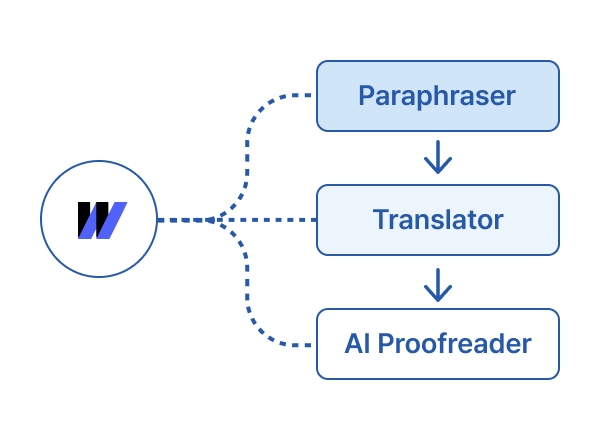
Wordvice AI Ecosystem Integration
Once you have your summary, the real work usually starts. Turning it into something polished, sharing it with the right people, and making it actually usable.
Run your Word doc summarizer output through the Paraphraser to rewrite it in your own voice or adjust the tone to fit your audience. If the person you're sharing with speaks a different language, the Translator handles that without opening a new tab. When everything reads the way you want it to, the AI Proofreader gives it a final clean before it goes anywhere.
This is what makes Wordvice AI a complete end-to-end writing toolkit, not just a standalone word summarizer free tool.
What Can You Use the Wordvice AI Word Summarizer For?

Research Paper Summarization
Anyone who has worked with a literature review knows exactly how long it takes. You need the findings, the methodology, and the conclusions, and a dozen more papers are sitting after this one. The Wordvice AI MS Word Document Summarizer pulls all of that out clearly so you can move through sources quickly and get to the actual writing. What used to fill an afternoon now fits in an hour.
Meeting Minutes and Business Reports
Long business documents don't get read the way they should. People skim, miss the important parts, and come back with questions already answered on page eight. Upload the report into the Word doc summarizer, and everyone gets a two-minute read with the decisions and action points right at the top where they belong.

Academic Thesis and Literature Review
When you're building a literature review across dozens of sources, staying organized from the start is everything. Students use the Wordvice AI Word Summarizer to get through each source quickly, pull a summary in their working language, and feed it straight into their writing with the Paraphraser and AI Proofreader. The whole thing flows from one step to the next without switching tabs once.