
 Proofreading & Editing

 Academic Editing Services

 Admissions Editing Services

 Business Editing Services
5 Best PDF Translators for Researchers and Students in 2026
"I uploaded a paper to Google Translate, and the two-column layout broke so badly I couldn't tell which sentence continued where."
"The equations and tables turned into strings of random characters, so I ended up spending twice as long cross-checking everything against the original."
If you're a graduate student or researcher, you've likely experienced this situation.
When you need to read through stacks of papers quickly and grasp the key points, the formatting breakdown of a typical PDF translation tool can significantly hinder research productivity.
Thus, which is the best PDF translator for academic work? In this guide, we compare the best PDF translators for 2026, featuring both best free PDF translator options and best AI PDF translator tools. Our selections are based on criteria such as layout preservation, accuracy in academic terminology, and the ease of source-to-translation comparison.
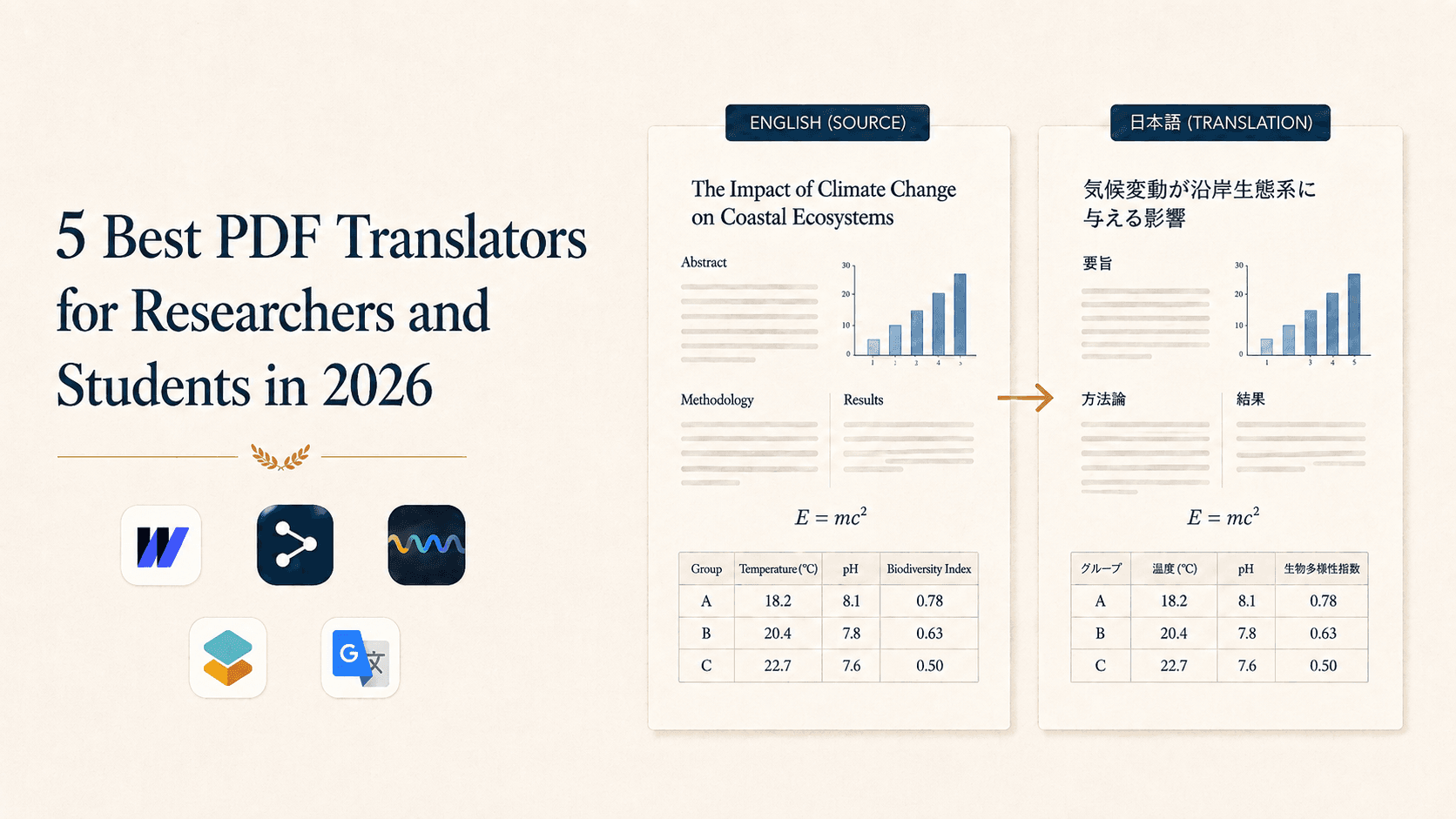
1. Quick Comparison: Best PDF Translators for Researchers
| Tool | Key Features | Format & Formula Preservation | Academic Term Accuracy | Source–Translation Comparison | Best For | Pricing |
|---|---|---|---|---|---|---|
| Wordvice AI PDF Translator | Built for academic papers, synchronized dual view, translation across 47 languages | Excellent (preserves extracted text of formulas/tables/charts) | Excellent (academic-corpus-based) | Synchronized dual-screen support | Researchers analyzing papers and academic documents in detail | Free with limits / paid options |
| DeepL | Natural, context-aware translation powered by neural networks | Moderate (complex two-column layouts/formulas can break) | Good (natural for general/business text) | Partial (web/app interface) | Researchers who prioritize natural, fluent phrasing | Free with limits / paid options |
| UPDF | Translation combined with PDF editing and annotation | Good (retains editing of existing PDF objects) | Moderate (integrates a general commercial AI engine) | Supported (within the PDF viewer) | Users who annotate or edit text while translating | Trial / paid license |
| SciSpace | Platform combining paper analysis with AI Q&A | Moderate (focused on paragraph/region drag translation) | Good (strong at paper search and summarization) | Supported (panel within the document viewer) | Users who need AI Q&A alongside translation | Free tier / paid options |
| Google Translate | Highly accessible, fast web-based document translation | Low (two-column line breaks tangle, formulas break) | Moderate (general-purpose translation) | Not supported (outputs translation only) | Users who just want a quick overview of the whole text | Free |
2. In-Depth Analysis: The 5 Best PDF Translators for Researchers in 2026
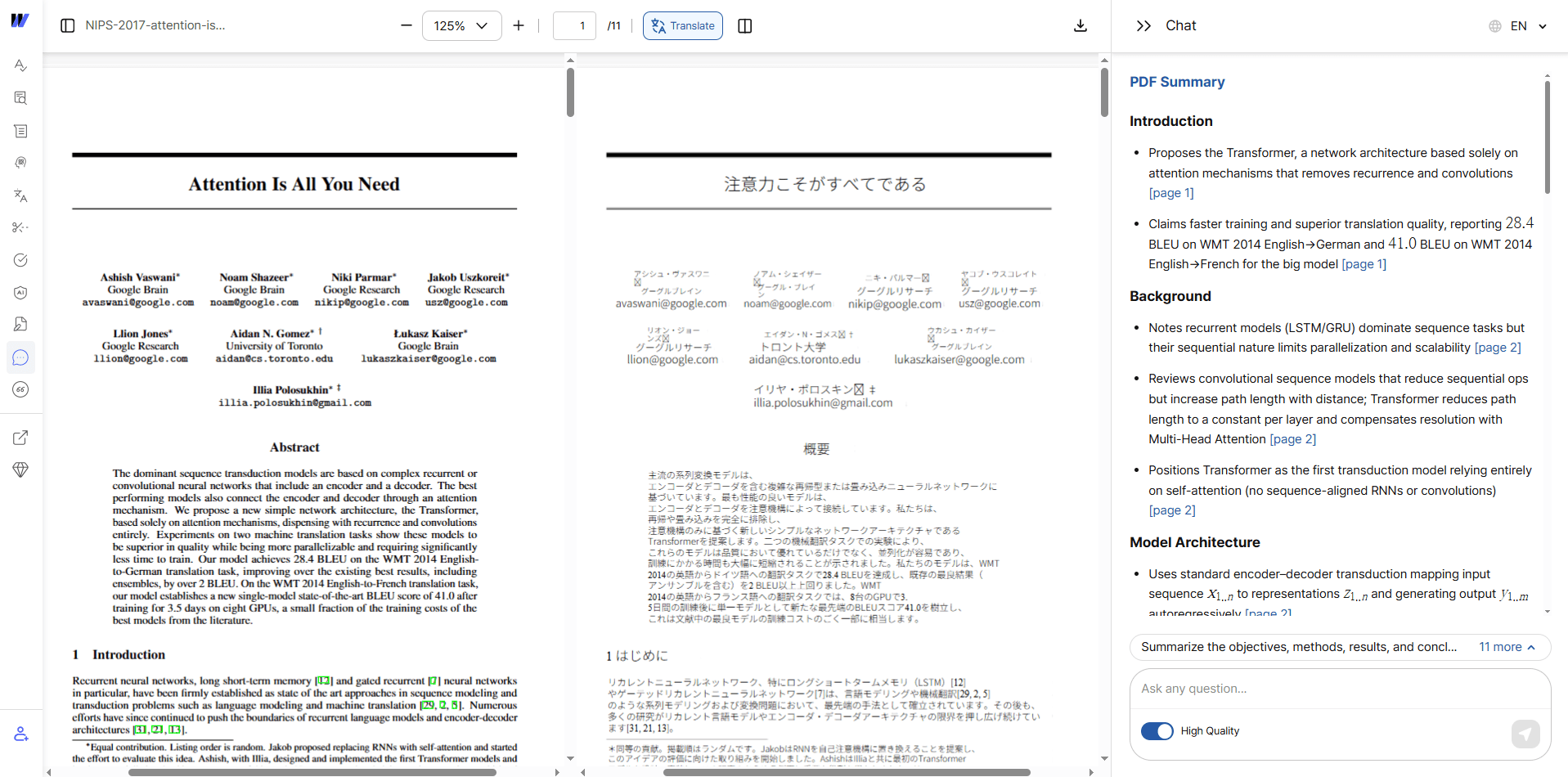
1) Wordvice AI PDF Translator — "The ideal balance of format preservation and precise translation"
Wordvice AI is a researcher-focused translation solution, encompassing the expertise of a global academic editing company. It's built on an engine that fully understands the complex structure of academic papers, positioning it as a strong candidate for the best AI PDF translator in the field of research.
Why do we recommend the Wordvice AI PDF Translator for researchers?
- Two-column layouts that don't break: Tables, formulas, graphs, charts, footnote positions, and text are preserved exactly as in the original — the core reason it excels as the best PDF document translator for academic documents.
- Side-by-side comparison view (dual screen): The source and translation scroll together, allowing you to instantly check anything that seems incorrect against the original PDF on the left.
- Real-time drag translation: Highlight a specific paragraph or a difficult passage to get an instant, context-aware translation.
- Multilingual support: With translation across 47 languages, it serves as an effective PDF language translator for international research.
- Integrated academic AI toolset: After translating, you can seamlessly transition into AI Proofreader, AI Paraphraser, and AI Summarizer tools, maximizing your research-writing efficiency.
- Free and premium plans: Basic translation is free, making it an easy pick as a best free AI PDF translator. A premium plan offers unlimited translation for large documents and access to advanced academic AI tools.
You can try it here: Wordvice AI PDF Translator.
2) DeepL — "Natural, fluent sentence context"
Already familiar to numerous researchers, DeepL is a leading AI document translation service and is widely used as an online PDF translator.
- Pros: Translations read very naturally and are highly readable.
- Cons: For papers with numerous formulas or complex formatting, the layout may be disorganized.
3) UPDF — "Translation and PDF editing simultaneously"
A desktop-based PDF translator software that integrates an AI translation module into a professional PDF editing program.
- Pros: You can directly correct typos in the translated text or leave annotations right on the PDF document.
- Cons: It requires a separate installation, and continued use needs a paid license.
4) SciSpace — "Where paper analysis meets an AI chatbot"
An exploratory AI tool that exceeds simple translation, letting you analyze papers through a back-and-forth Q&A.
- Pros: You can select a difficult academic concept or paragraph and ask, for example, "Summarize the conclusion of this experiment."
- Cons: It is more effective for interpreting individual passages than for exporting an entire PDF as a polished translated document.
5) Google Translate — "For a quick, free skim"
One of the most accessible free online PDF translator options, with no installation required — convenient for quickly translating short PDF files or general documents.
- Pros: Great accessibility, plus rapid translation of short text or brief PDF files.
- Cons: Weak at parsing paper formats — formulas and two-column layouts become completely tangled, making it unsuitable for thorough reading of papers.
3. How to Choose the Best PDF Translator: A 3-Point Checklist
To find the best PDF translator for your needs as a researcher, ask these three questions.
- Do formulas, tables, and charts stay intact instead of breaking into garbled characters? ➔ For math, engineering, and natural science papers, formula preservation is essential.
- Do the source and translation scroll together for side-by-side comparison? ➔ To verify subtle differences in academic terminology, a side-by-side comparison view (dual screen) is mandatory.
- Is it possible to drag just the desired paragraph and translate it instantly? ➔ Extracting and reading specific paragraphs — beyond full-document translation — can cut your research time in half.
Stop losing time to translations with disrupted layouts. If you want to save valuable research time and get the most out of every paper, try an academic-focused PDF translator built precisely for researchers' needs.
👉 Try the Wordvice AI PDF Translator — start translating academic papers with layouts and formulas fully preserved, for free.
4. Frequently Asked Questions (FAQ)
Q1. What is the best PDF translator for keeping two-column formats and formulas from breaking?
Standard translation engines treat a PDF as a plain stream of text, so they mistake two-column formatting and formulas for character strings. An academically specialized tool such as the Wordvice AI PDF Translator, which applies academic layout-parsing technology, preserves formulas, tables, and charts exactly as in the original.
Q2. Is there a quick way to compare and verify the translation against the source?
With the Wordvice AI PDF Translator's side-by-side comparison view (dual screen) feature, the source PDF on the left and the translated version on the right scroll together, allowing for quick comparison and verification of academic terminology or subtle differences in phrasing in real time.
Q3. What is the best free PDF translator, and how much can I translate without any charges?
The best free PDF translator for you depends on your needs, but the Wordvice AI PDF Translator offers free translation for PDF files and runs a premium plan for researchers seeking larger capacity or integration with additional academic AI tools (proofreader, summarizer, and more).